



FAQs employers
Employer FAQ: What to Know Before and During the Hiring Process
This FAQ highlights what employers typically want to know before and during interviews and onboarding so you can run a fair, accessible, and confident hiring process.
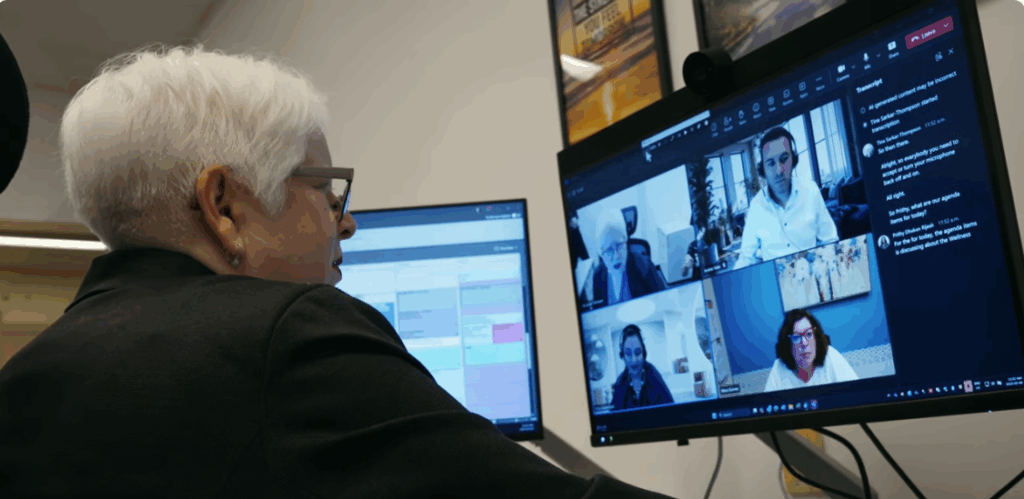
Is hiring a blind or partially sighted candidate complicated?
Hiring a blind or partially sighted candidate is simpler than many employers expect. Most adjustments during the hiring stage are small and practical, such as sharing materials in accessible digital formats or allowing the candidate to use their assistive technology.
Why consider blind or partially sighted candidates?
Today’s workplaces rely on people who can adapt quickly, learn new tools, and solve problems creatively. Many blind and partially sighted candidates bring these strengths naturally because they routinely work in systems and environments that weren’t designed with them in mind. This often means they:
- find alternative ways to complete tasks
- build efficient digital workflows
- develop strong planning and problem-solving skills
- adapt quickly when tools or processes change
They also bring fresh perspectives that strengthen teams and improve how organizations serve clients. Approaching problems differently and noticing barriers others overlook can lead to better processes, services, and user experiences.
When access barriers are removed, blind and partially sighted employees can contribute on the same level as their peers. Expanding your hiring practices simply broadens the range of strong candidates your organization can reach.
What language can I include in my job posting to make the hiring process accessible?
What language can I include in my job posting to make the hiring process accessible?
A practical accessibility statement can signal that candidates will be supported during the hiring process. Employers can use language such as:
Accessibility in Hiring
We’re committed to a hiring process that allows all candidates to participate fully. Interview and assessment materials can be provided in accessible digital formats, and candidates are welcome to use their preferred tools or technology.
If you need an adjustment at any stage, or if you encounter an accessibility barrier in the posting or application process, please contact us. You can reach us by email at _____ or by phone at _____.
Candidates are assessed on their skills, experience, and ability to perform the job tasks. This signals readiness without singling out specific disability groups.
What accommodations might come up during hiring?
For blind and partially sighted candidates, most hiring-stage accommodations relate to how information is accessed. Some candidates may also have additional or overlapping access needs depending on their individual circumstances.
Common examples include:
- Interview materials provided in accessible digital formats (not image-only PDFs)
- Using personal assistive technology during interviews or assessments
- An equivalent alternative if a testing or screening platform isn’t accessible
- Extra time for reviewing dense or unfamiliar written materials
These accommodations help ensure candidates can participate fully and allow you to evaluate their skills accurately. And if you’re not sure what a candidate needs, it’s completely appropriate to ask them — they’re the expert in how they work.
How do I run an accessible interview or assessment?
Focus on ensuring the candidate can receive information and move through the process:
- Provide interview materials in accessible digital formats
- Allow candidates to use their assistive technology
- Offer an equivalent version of any assessment if your platform isn’t compatible
- Use simple left/right/straight-ahead descriptions when giving directions (e.g., “the chair is to your left”) instead of pointing
- If a task is visual, describe it briefly so the candidate can explain how they would complete it
These steps help you evaluate the candidate’s skills without changing job requirements.
How do I assess whether the candidate can perform the job?
Keep questions focused on job tasks, not disability. Useful examples include:
- “This role involves reviewing documents. How do you typically do that?”
- “Some tasks require moving between rooms. How would you navigate that?”
- “This software is used daily. How would you approach working with it?”
- “There are occasional visual steps. How would you handle those?”
These questions provide clear, relevant information without assumptions.
Do I need to understand the candidate’s assistive technology?
You do not need technical knowledge to run a fair hiring process. Candidates already know how to use the tools they rely on — whether that’s a screen reader, magnification software, a braille display, or another tool.
That said, having a general sense of what these tools do can make the interview process more comfortable. Many employers find that real-life examples — such as those available on WorkingBlind.ca — help them understand what they might hear or observe during an interview and how these tools are used in everyday work.
Your role isn’t to learn the technology. Your role is simply to allow candidates to use the tools they need and to focus on their approach to each job task.
Will accommodations during hiring change how I evaluate the candidate?
No. Accommodations simply ensure the candidate can participate fully in the hiring process. You will still assess the same skills, review the same tasks, and ask the same questions as you would for any applicant.
Accommodations only change how the candidate accesses information — not what you’re evaluating or the expectations for the role.
What should I do if part of my hiring process isn’t accessible to a blind or partially sighted candidate?
Focus on the skill you’re trying to measure, and keep that goal the same while changing the method. The issue is usually the format, not the skill. For example:
- For accuracy or attention to detail, provide the same text or data in a simple, usable format (such as plain text in an email).
- For problem-solving, you can discuss scenarios verbally or ask how they’ve handled similar tasks.
- If a tool requires dragging items, clicking images, or interacting with visuals, offer the same task in another method.
For software-specific tasks, keep this distinction clear:
- If the software is essential and not accessible, the barrier is in the tool — not the candidate.
- If the candidate simply hasn’t used the software before, treat it like any other skill gap and ask how they learn similar systems.
The goal is to remove barriers in the hiring, not change what the job requires.
Why might a candidate request an accommodation during hiring?
To ensure they can participate on an equal footing with other applicants.
These requests are about access, about leveling the playing field, not lowering expectations. They allow you to assess candidates based on their skills and how they approach work.